Local security workspace for macOS
All your cameras.
One Mac.
Secure Cam turns your Mac into a professional surveillance workspace for compatible RTSP and ONVIF cameras — live monitoring, recording, sites, and cloud sync, with no per-camera subscription fees.
- Native macOS app
- No per-camera fees
- 1 GB cloud storage included
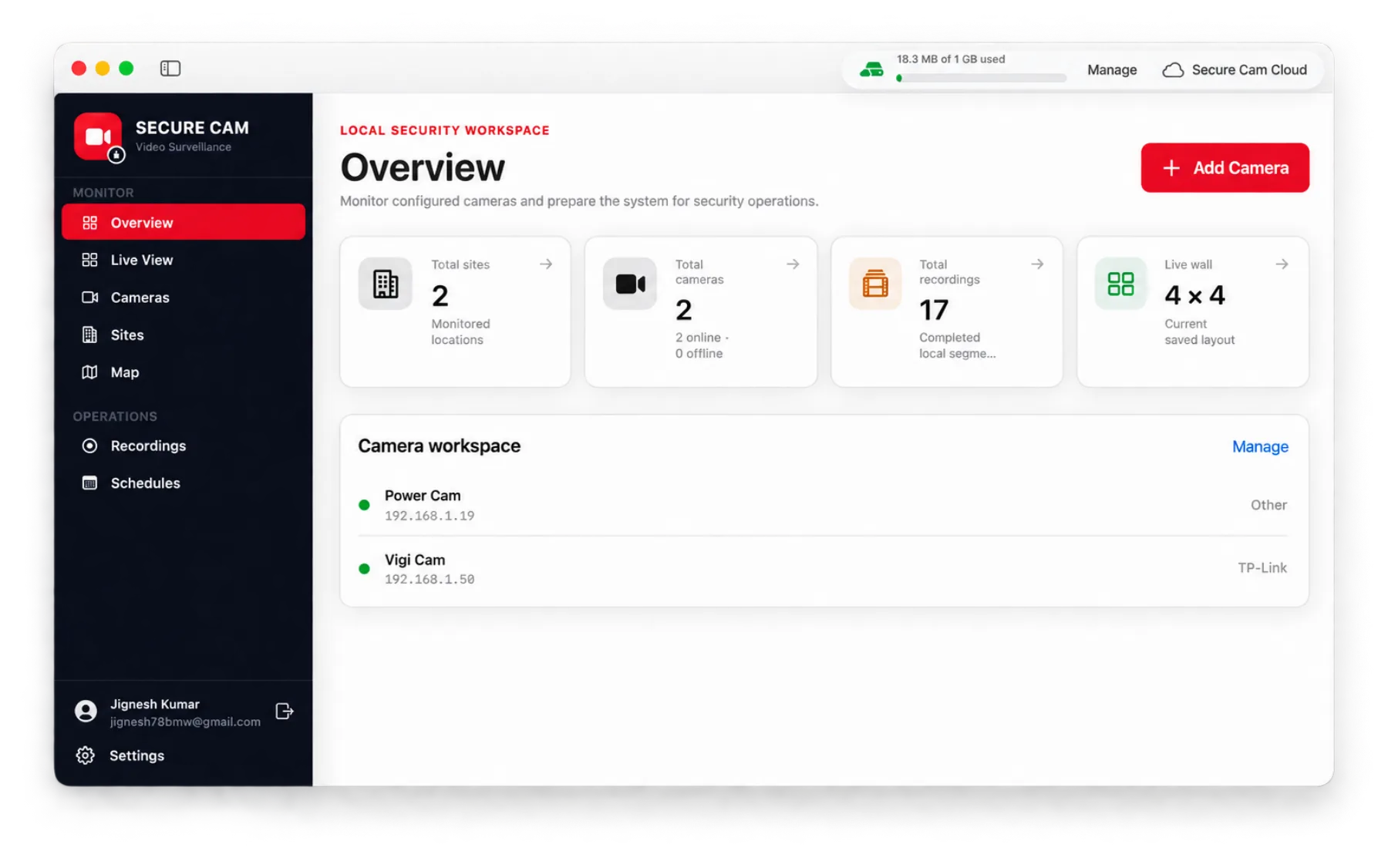
Everything included
Built for serious camera work
A dedicated monitoring sidebar, responsive camera controls, background recording, and local recording management — all in one native app.
Discover cameras fast
Find compatible ONVIF cameras on your local network, or add RTSP cameras manually when discovery isn't available.
Configurable live wall
Watch multiple streams side by side in layouts from 1×1 up to 4×4, and switch between main and sub-streams.
Flexible recording
Record manually, keep selected cameras continuous, and set segment duration globally or per camera.
Scheduled rules
Create per-camera recording windows by day, time, and timezone — including overnight windows.
Sites and maps
Group cameras by monitored location and view every site and its assigned cameras on a map.
PTZ control
Pan, tilt, and zoom compatible cameras, or open any individual feed in fullscreen.
Background recorder
Keep enabled recording jobs running when the main window is closed, and resume automatically at login.
Cloud sync you control
Sync completed segments to Secure Cam Cloud on your terms, and track used and available storage.
Real-time monitoring
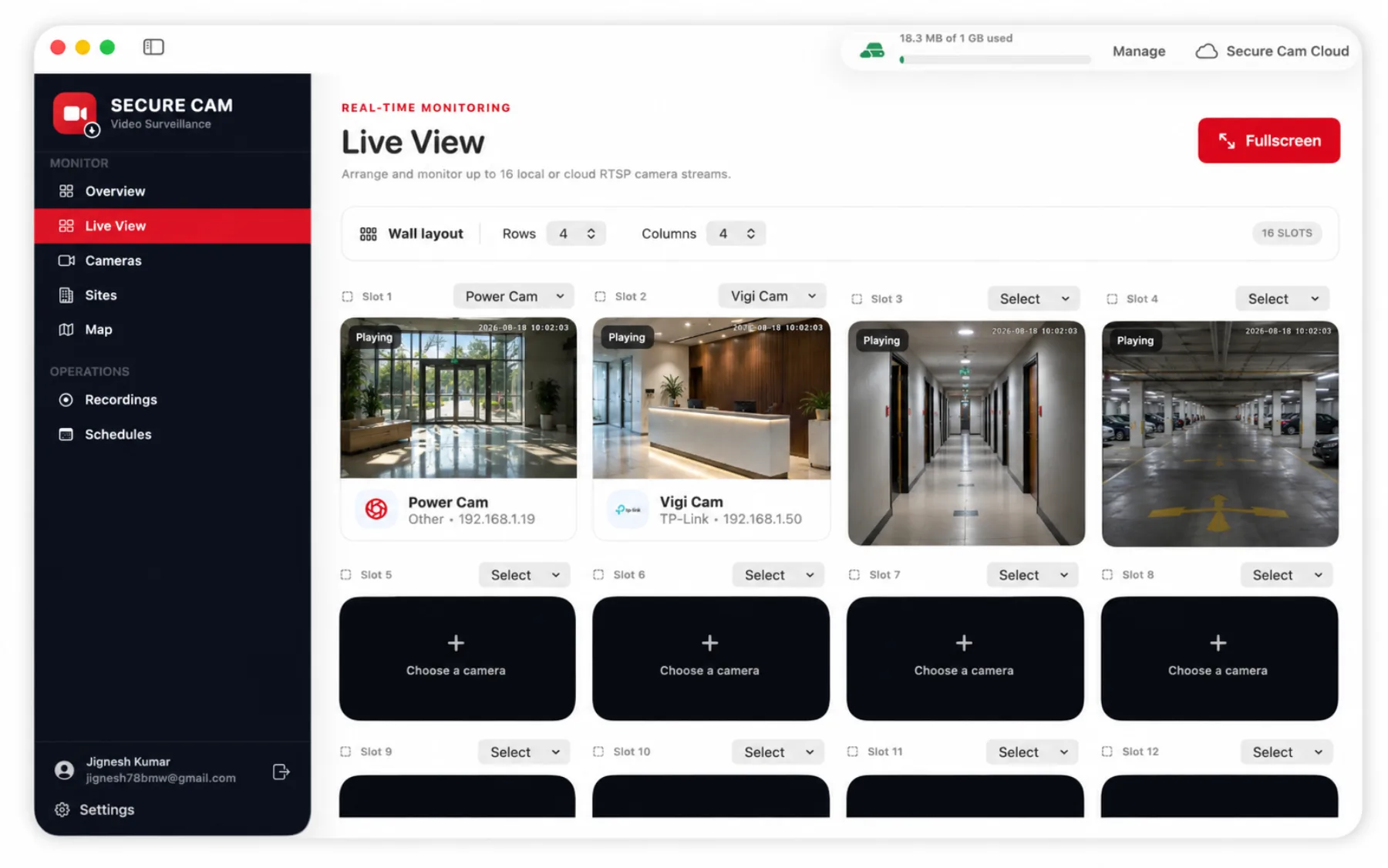
A live wall built for 16 streams
Arrange rows and columns from 1×1 up to 4×4, assign any camera to any slot, and switch between main and sub-streams while you watch connection status in real time.
Camera control
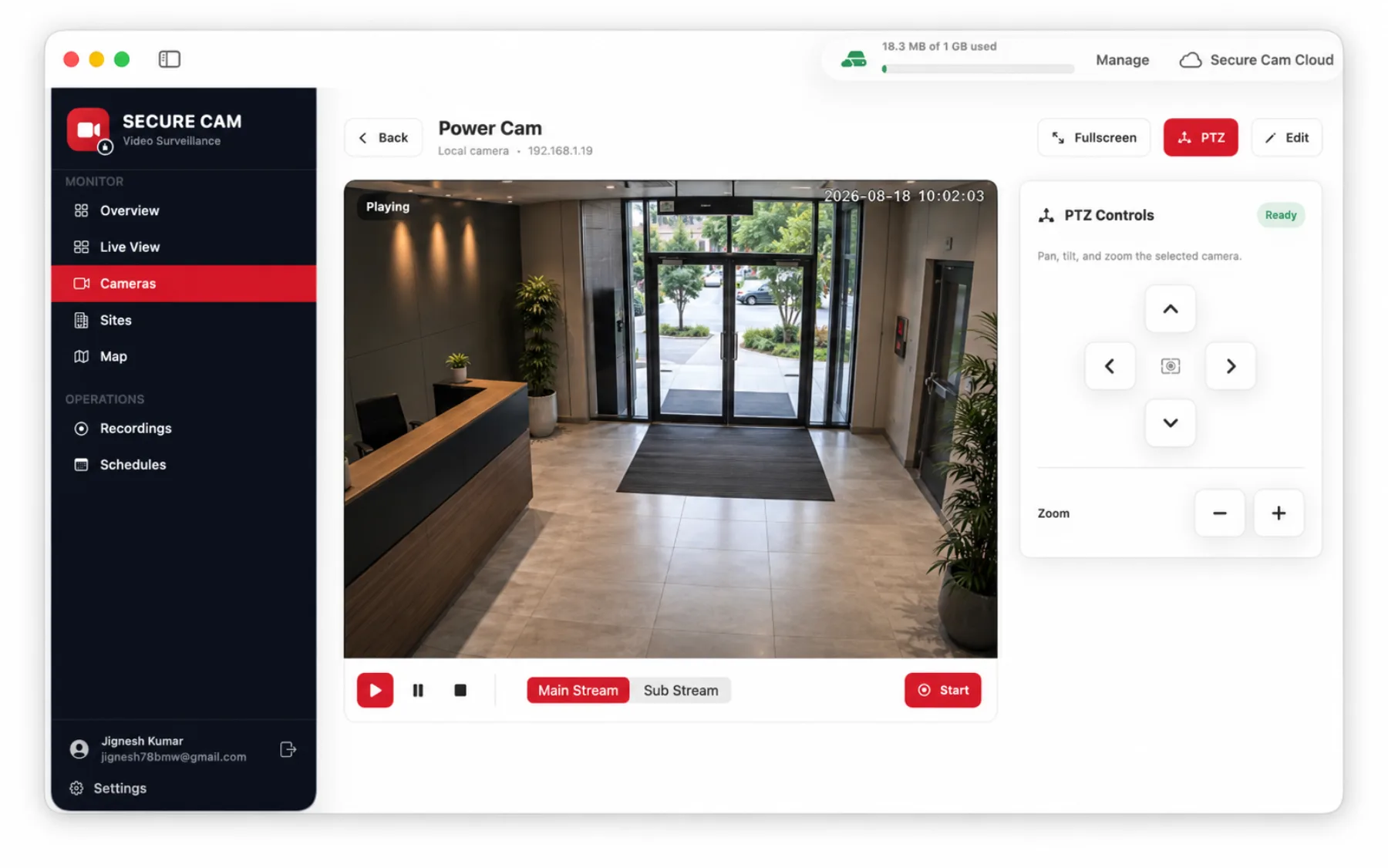
PTZ and fullscreen on every compatible feed
Open a single camera to pan, tilt and zoom, flip between main and sub streams, and start recording from the same window.
Device management
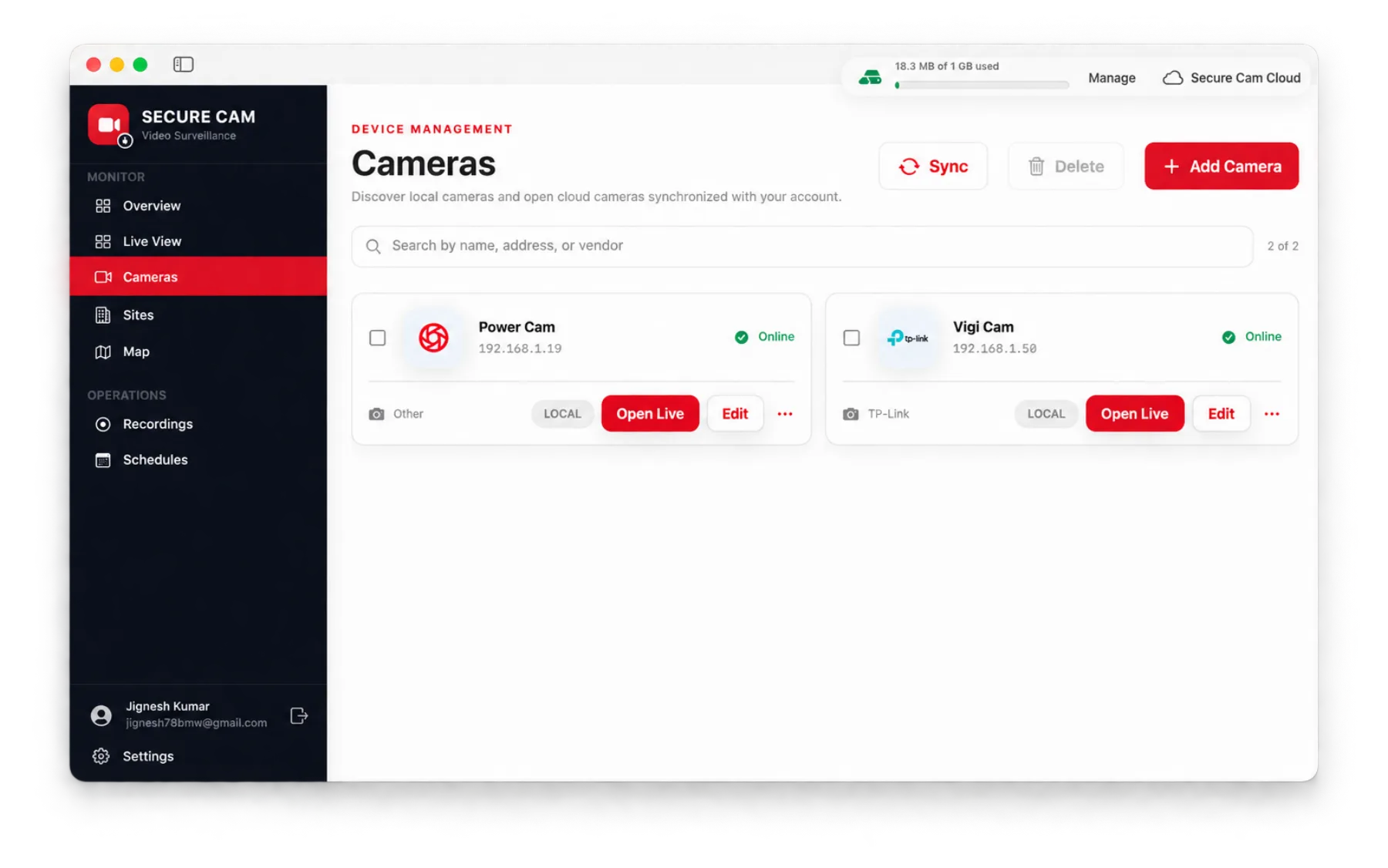
Every camera, one clean list
See local and cloud cameras with vendor, address and online status. Search, sync, edit or jump straight to a live feed.
Camera setup
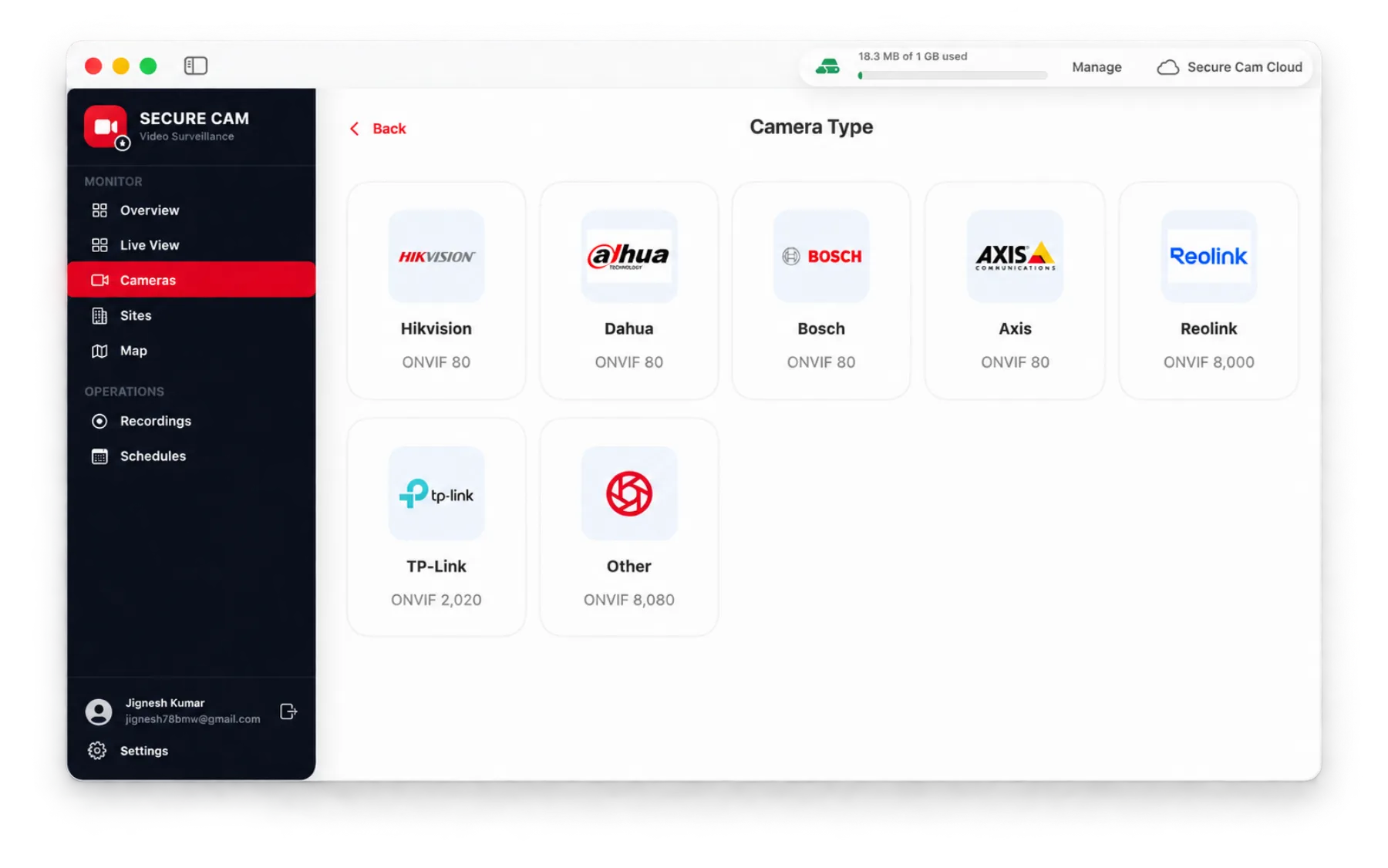
Guided setup for one camera or many
Choose a guided flow for a single camera or batch-apply shared credentials to several discovered devices at once.
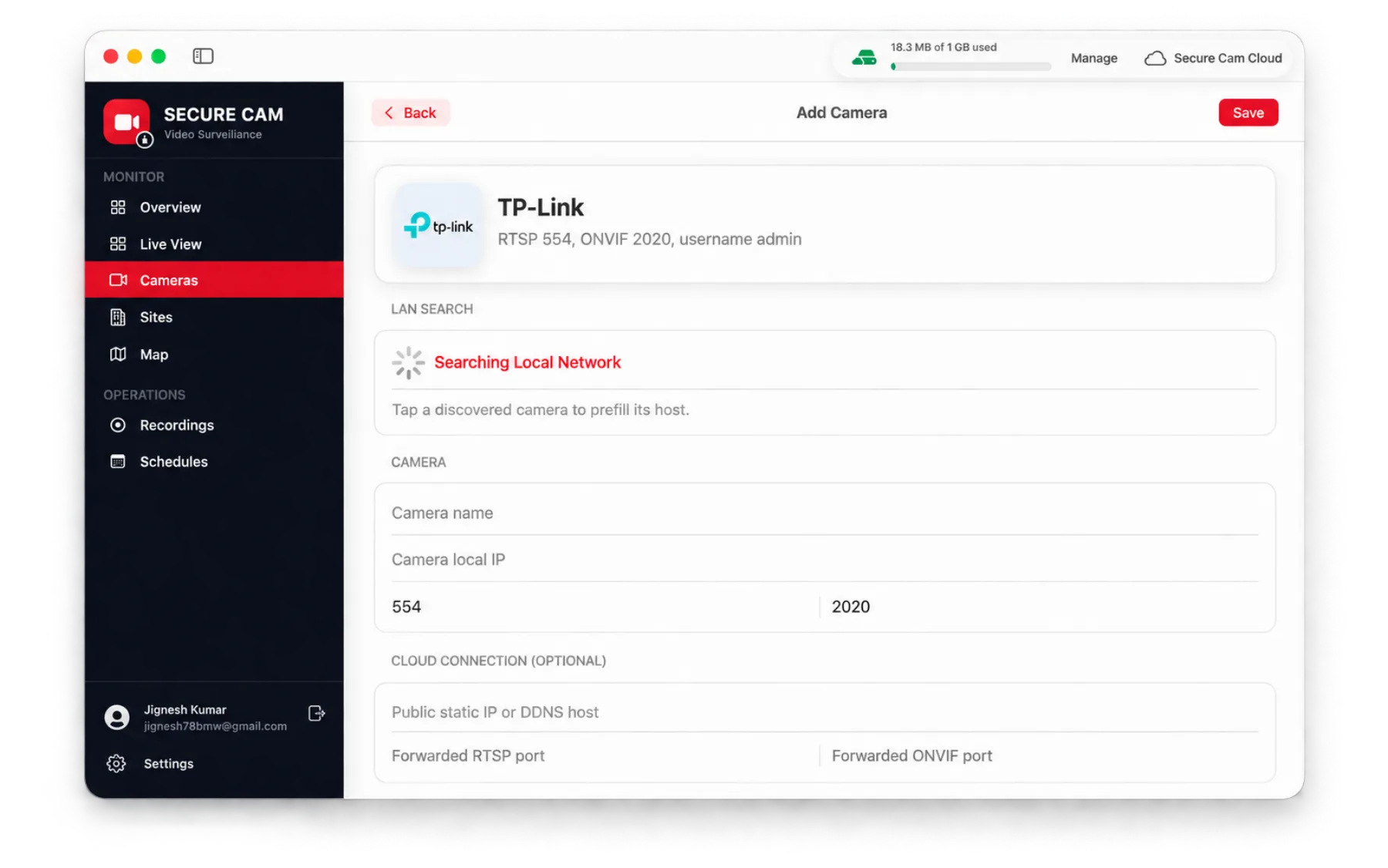
Connection details
Local discovery or manual RTSP
Tap a discovered device to prefill its host, or enter RTSP and ONVIF ports yourself — plus optional DDNS and forwarded ports for remote access.
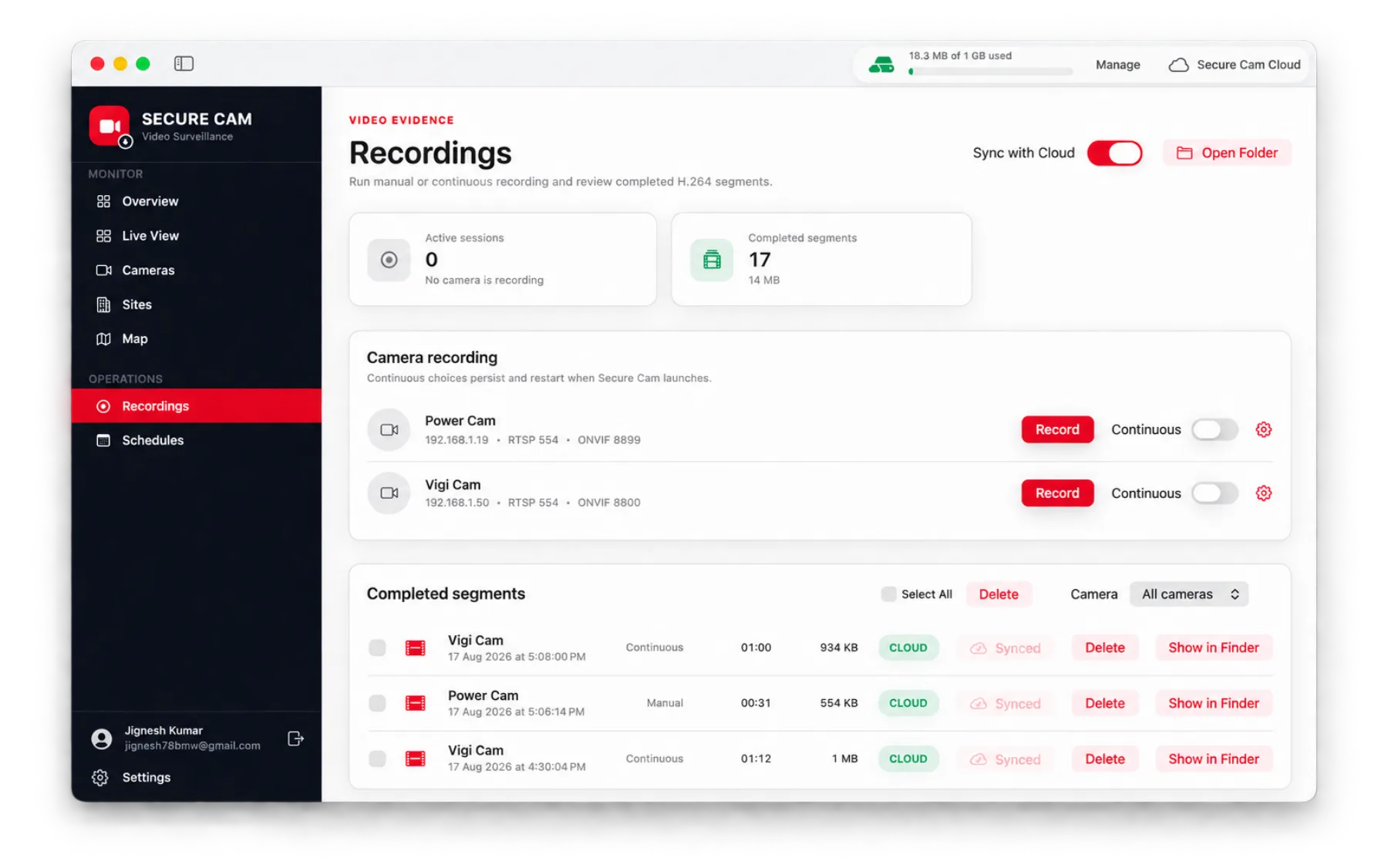
Video evidence
Manual and continuous recording
Run manual or continuous recording per camera, review completed H.264 segments with size and duration, and sync them to the cloud.
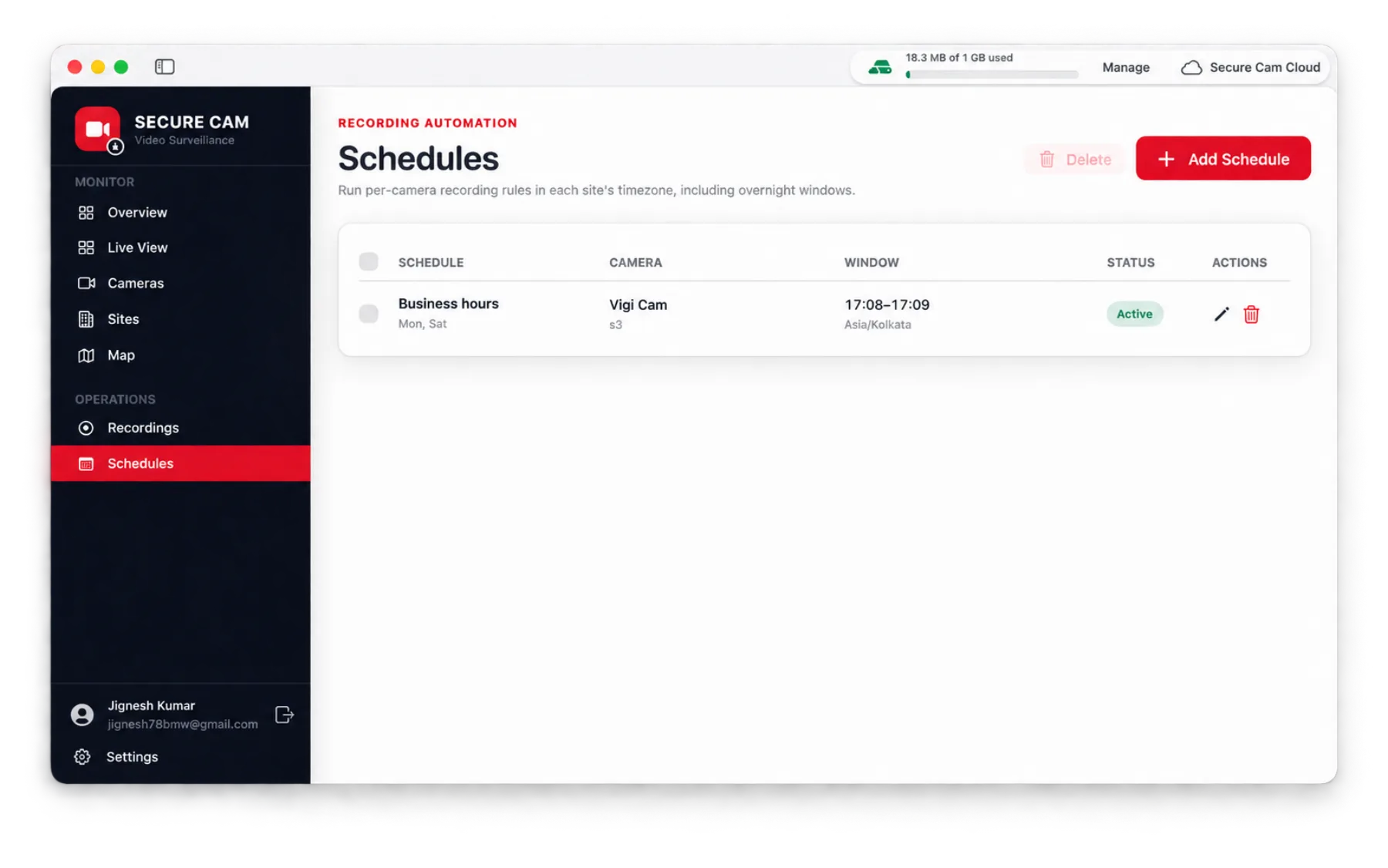
Recording automation
Schedules in each site's timezone
Define per-camera recording windows by day and time, including overnight windows, and see which rules are currently active.
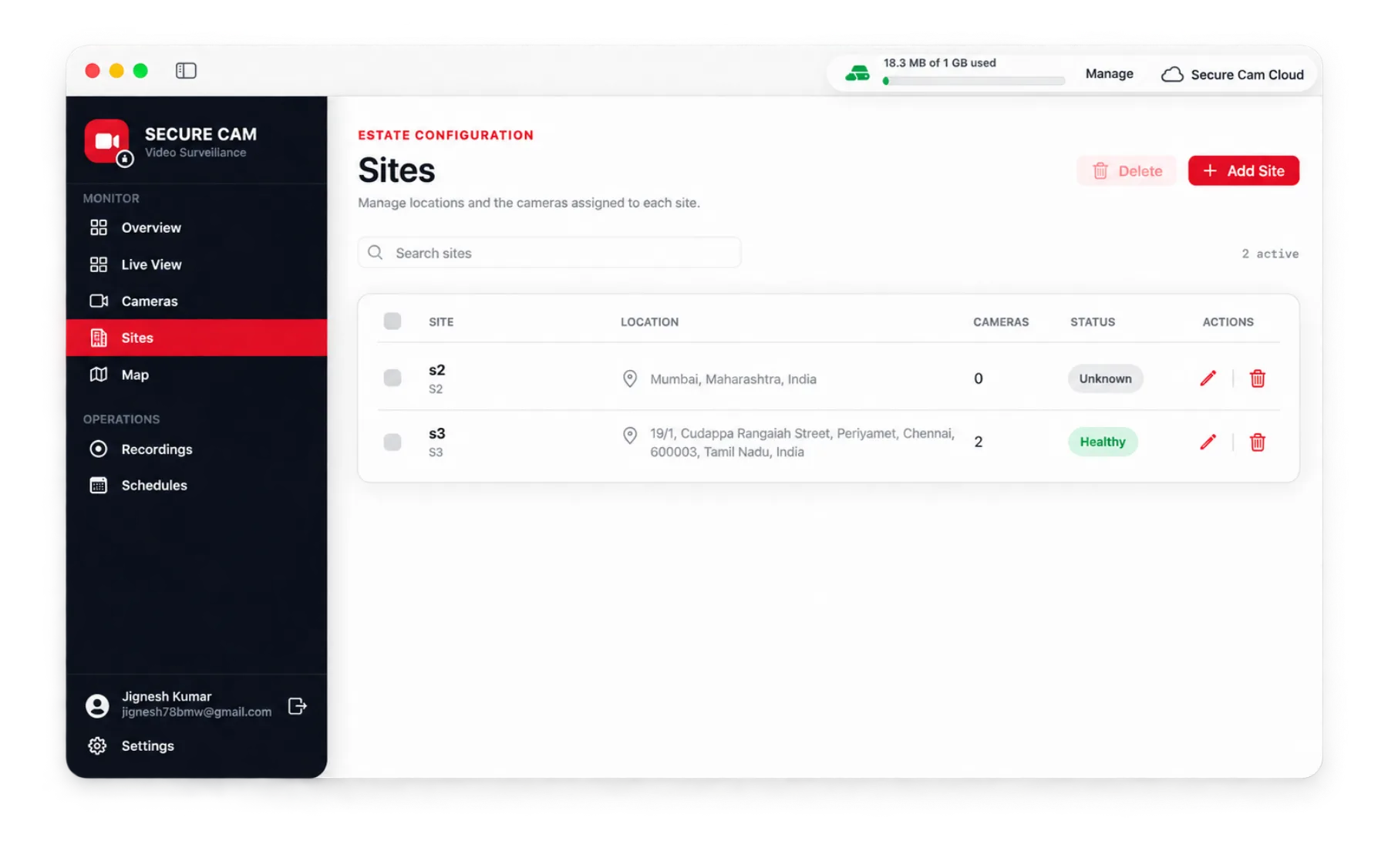
Estate configuration
Organize cameras by site
Group cameras into monitored locations, track how many devices each site holds, and keep an eye on site health.
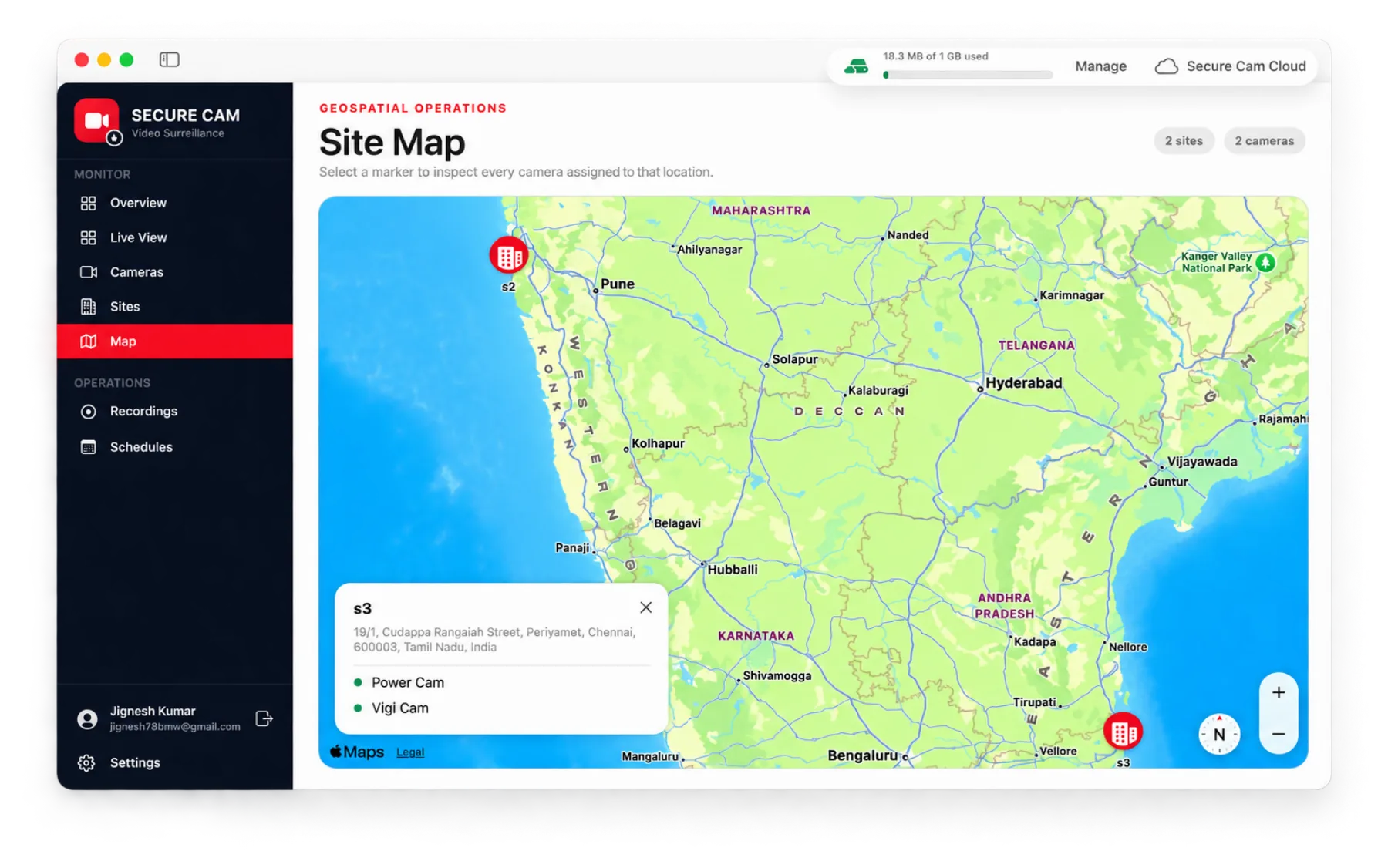
Geospatial operations
See your estate on a map
Search locations with map suggestions and inspect every camera assigned to a marker without leaving the map.
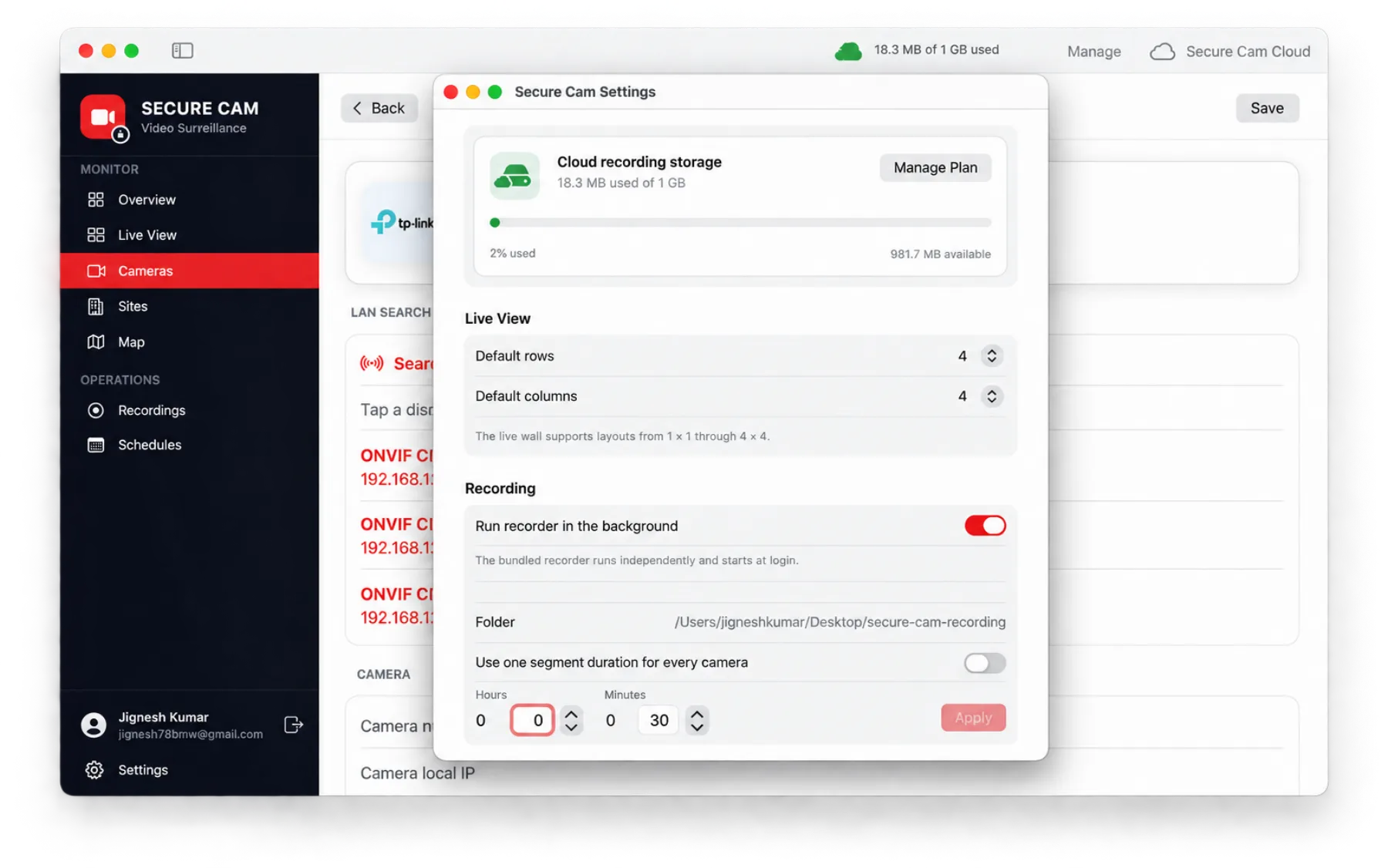
Preferences
Cloud storage and background recording
Track used and available cloud storage, keep the recorder running when the window is closed, and set default layout and segment duration.
Secure Cam Cloud
1 GB cloud storage included
Every account includes 1 GB of cloud recording storage so you can try cloud synchronization and scheduled recording right away.
- Sync completed recording segments to secure cloud storage
- Monitor used and available storage from Settings
- Upgrade storage directly through the App Store
- Access synced cameras, sites, and recordings in the monitoring portal
- Keep cloud synchronization fully under your control
Build a dependable surveillance workspace on your Mac
Download Secure Cam, connect your cameras, and start monitoring in minutes.